Ollama OpenAI API Compatibility: What Carries Over
Ollama OpenAI API compatibility means a tool written for the OpenAI chat format can talk to a local Ollama server. The same idea applies to a hosted endpoint, and the differences are small and easy to list.
Updated
Key points
- Both Ollama and the hosted API accept the OpenAI chat completions request shape.
- Only the base URL, the key and the model name change between them.
- The hosted API supports streaming, tool calling and JSON mode; it has no embeddings route.
- Test with GET /v1/models first, then one non-streaming request, then streaming.
What compatibility really means
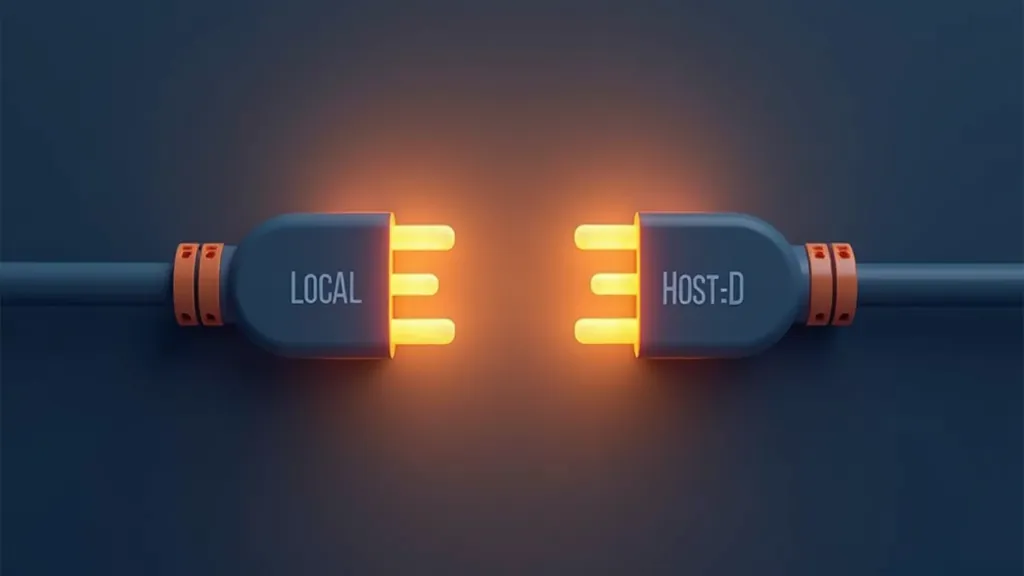
OpenAI-compatible does not mean the model is from OpenAI. It means a server accepts the same HTTP requests and returns the same JSON shapes that the OpenAI chat API uses. Because so many SDKs, frameworks and apps were written against that shape, any server that copies it can be plugged into them. Ollama added such a layer under /v1 on its local port, and hosted services copy the same contract.
That is the whole mechanism. Your client builds a request, sends it to a base URL with an authorization header, and parses the answer. If the server honours the contract, the client cannot tell the difference. The practical question is not whether the two are compatible, but which parts of the contract each one fills in.
The pieces of the contract
Here is the contract in the order a client touches it, with notes on what the hosted API at https://api.ollamaapi.top/v1 does for each piece.
Base URL and path
Your SDK appends paths such as /chat/completions to the base URL you configure. The base URL for this service ends in /v1, exactly as a local Ollama setup would, which is why a configuration change is usually enough. Two methods exist: POST /v1/chat/completions and GET /v1/models.
Authentication
OpenAI-style clients send Authorization: Bearer <key>. A local Ollama server does not check the key, so people type any placeholder. The hosted API does check it. A wrong or missing key is the most common first error, so copy the key from your account page and treat it like a password.
Model name
The model field selects what answers. In local Ollama it is a tag you pulled, such as a model name with a size suffix. On the hosted API it is always uncensored. Calling GET /v1/models returns what the server offers, which is a quick way to confirm that your key and URL are right before you send a real prompt.
Messages and roles
The messages array with system, user and assistant roles works the same way. Tool results go back as messages with role: "tool".
Features that carry over
Beyond a plain prompt, these request options are supported on the hosted side, so code that uses them does not need rewriting.
| Feature | How you use it | Notes |
|---|---|---|
| Streaming | stream: true | Server-sent events; usage is sent at the end |
| Tool calling | tools, tool_choice | Streamed tool_calls work; send results as role: "tool" |
| JSON mode | response_format: {"type":"json_object"} | Ask for JSON in the prompt too |
| Sampling | temperature, top_p, stop, seed, penalties | Passed through to the model |
| Length | max_tokens | Optional; the completion can use the rest of the 100,000-token window |
The seed parameter deserves a caution. It is passed through, but treat it as a way to make runs more repeatable, not as a guarantee of identical text. If your tests depend on exact output, compare structure rather than characters.
Where the two differ
Compatibility has edges. These are the places where moving from a local Ollama server to a hosted endpoint changes behaviour, and what to do about each.
- Embeddings. Ollama can serve embeddings through its compatible layer. This API has no embeddings route, so keep embeddings on a separate provider or local model.
- Other media. There is no image, audio or video generation and no fine-tuning. Requests for those routes will fail.
- One model. Local Ollama lets you pull and switch models freely. Here you get one model, run by an independent provider, and it is not the official API of any model vendor.
- Rate limits. A full key allows 8 concurrent requests and 300 requests per minute. A trial key allows 2 and 60. Local servers only have your hardware as a limit.
- Request size. The maximum body is 8 MB, which only matters if you send large pasted documents or base64 data.
- Billing. Local inference has no per-token bill. Here you pay $0.15 per 1M input tokens and $0.50 per 1M output tokens from prepaid credit, and failed or refused requests are not charged.
A three-step compatibility test
Before you move a whole application, run a short test that exercises the contract in layers. When something fails you will know which layer to blame.
Step 1: list models
# the response should list the model ID "uncensored"
curl https://api.ollamaapi.top/v1/models -H "Authorization: Bearer YOUR_API_KEY"A JSON list containing uncensored means the URL, path and key are correct. A 401 points at the key.
Step 2: one plain request
from openai import OpenAI
client = OpenAI(base_url="https://api.ollamaapi.top/v1", api_key="YOUR_API_KEY")
r = client.chat.completions.create(
model="uncensored",
messages=[{"role": "user", "content": "Reply with the single word: ready"}],
max_tokens=10,
)
print(r.choices[0].message.content)
print(r.usage)Step 3: streaming and tools
from openai import OpenAI
client = OpenAI(base_url="https://api.ollamaapi.top/v1", api_key="YOUR_API_KEY")
stream = client.chat.completions.create(
model="uncensored",
messages=[{"role": "user", "content": "Count from one to five."}],
stream=True,
)
for chunk in stream:
if chunk.choices and chunk.choices[0].delta.content:
print(chunk.choices[0].delta.content, end="", flush=True)Streaming is where proxies and corporate networks most often interfere, because some buffer responses. If step 2 works and step 3 prints everything at once at the end, look at buffering between you and the server rather than at the API.
Reading the response and the usage numbers
The response body follows the familiar structure: a list of choices, each with a message that holds the role and the content, plus a finish_reason and a usage block. Three things in it are worth checking during a migration.
- finish_reason. A value of
stopmeans the model ended its turn. A value oflengthmeans it hit a token limit, so raisemax_tokensor shorten the prompt. A value that signals tool calls means your code should run the requested tool and send the result back. - usage. The prompt and completion token counts tell you exactly what a request costs: prompt tokens times $0.15 per 1M, plus completion tokens times $0.50 per 1M. When streaming, usage arrives at the end of the stream, so read the last chunk if you log costs.
- Headers.
X-Balance-USDreports remaining credit, which makes a cheap health check for long-running jobs.
As a quick sanity check on cost, a request with 1,500 prompt tokens and 400 completion tokens costs 1,500 x $0.15 / 1,000,000 = $0.000225 for input, plus 400 x $0.50 / 1,000,000 = $0.0002 for output, so $0.000425 in total. If your logged usage and your balance drop do not agree with that arithmetic, something other than the token counts is being sent, such as a much longer system prompt than you thought.
Differences in token counts
Local runtimes and hosted services may count tokens with different tokenizers, and the model behind a local tag is probably not the model behind uncensored. Do not expect identical counts for the same text. Budget with the usage numbers the hosted API reports, not with numbers carried over from a local run.
Common errors and fixes
Most failures after a switch come from a short list of causes.
- 401 or invalid key. The placeholder key from your local setup is still in an environment variable. Search your shell profile and
.envfiles. - 404 on the route. The base URL is missing
/v1or has it twice. Print the final URL your SDK builds. - Model not found. The old local tag is still in the config. Set the model to
uncensored. - 429 with
concurrency. You have more than 8 requests in flight, or more than 2 on a trial key. Lower your worker count. - 429 with
rate_limited. You passed 300 requests per minute, or 60 on a trial key. Add a short delay between calls. - 429 with a
Retry-After: 5header. The service is temporarily overloaded. Wait five seconds and retry.
Response headers help with debugging: X-Request-Id identifies a request if you contact support, X-Balance-USD shows remaining credit, and the X-RateLimit-Limit-Requests and X-RateLimit-Limit-Concurrency headers show your limits.
When you are ready, the docs page has a first request you can paste, and you can create an API key in one step. New accounts can claim $0.50 of trial credit with one click, valid for 7 days, which is more than enough to run the three tests above many times. For budgeting a real workload, see the pricing details.
More guides
Questions and answers
Does the hosted API use the same endpoints as Ollama's OpenAI layer?
For chat it does: POST /v1/chat/completions and GET /v1/models. There is no embeddings endpoint.
Do I need a real API key?
Yes. Local Ollama ignores the key, but the hosted API checks it on every request.
Will my existing OpenAI SDK code work?
In most cases yes. Change the base URL, the key and set the model to uncensored.
Is it the official OpenAI or Ollama service?
No. It is a hosted service running one open-weight model from an independent provider, and it only copies the OpenAI request format.
Your key is one form away
Create an account, copy the key, change the base URL. That is the whole setup.
Get API key